From time to time you may see here a message that NeverEndingBooks ends on Bloomsday (June 16th). Soon after, I hope to restart with another blog at the same URL. For starters, Neverendingbooks refers to my never-ending bookproject on noncommutative geometry started in 1999, a millenium ago… Today I\’m correcting the proofs and have even seen the cover-design of the book, supposed to be published in the fall. So, it should be really EndingBook(s), finally. From time to time it is good to start afresh. The next project is still pretty vague to me but it will be a lot more focussed and center around topics like Moonshine, the Monster, the Mathieu groups, Modular forms and group etc. Suggestions for a blogtitle are welcome (M-theory is already taken…). Besides there are technical problems with the machine running the blog, a new one is expected around June 16th. As I will not be able to clone between the two (one PPC, the new one Intel) I decided to start again from scratch. Anyway, Ive made a database-dump of NeverEndingBooks and will make it available to anyone interested in reading old posts (even the ones with a private-status). Finally, there are other reasons, better kept private. Give me a couple of weeks to resurface. For now, all the best.
2 CommentsTag: PPC
It has
been a difficult design decision, but I’m going to replace the LaTeXRender WordPress
Plugin for mathML as the
default TeX-interface for NeverEndingBooks. I will keep LaTeXRender on
standby as I may have to use exotic packages or commands that iTeX does
not deliver, but for most math-related posts, MathML will do the job
nicely (as the n-category
cafe shows every day (or even more often)). Not that I stopped being
a dilettante but I’m going to do most of my writings (including
blog-posts) using Scrivener (more on this
another time) and Scrivener supports MultiMarkdown and allows exporting to LaTeX and XHTML (using MathML).
I could never have pulled this off in such a short time without Jacques Distler
more or less on constant stand-by (thanks Jacques!). Looking at the
times his emails were send I have no idea in which time zone he lives
(let alone sleeps…). So, here a walk-through the changes :
As
I’m on WP 2.0.5 I’ll start with Frederick’ post. He tells me I have to install first the itex2MML binary as
explained by
Jacques but I find that there is more recent
material and therefore download the most recent imath2MML-package
and follow the readme. There is a Mac OSX binary but it’s not clear
for what processor (PPC/Intel/Binary) but a quick mail to Jacques learns
me that it’s PPC which is fine by me but on the spot he puts a
universal binary online, so whatever your Mac is you can just download
the binary, copy it to /usr/local/bin and make sure its chmodded
755.
Back to Frederick’s post, download and install the plugin itexToMML.php in the usual way
(fortunately I spot just in time that I have to change one line saying
where my itex2MML binary is (in Frederick’s file it is NOT the default
location)). You can verify whether the plugin and itex2MML do what they
are supposed to do by typing a LaTeX-command in a post and save it. The
output will not produce the desired formula but have a look at the
source file and see whether there is some mathML code in it. If so,
fine! If not, go back and check everything.
If this works, it is
“merely” a problem of getting your mathML served. Frederick suggests
to unpack wordpress_mathML.zip in the wp-includes directory (but you
better make sure you have made a copy of the original class.php and
functions-formatting.php files. In the end I decided against this
approach (that is, to replace only the functions-formatting.php but NOT
the class.php file). If you have two or more themes you want to
maintain, it is probably better to change the headers (because this is
what we have to do to get mathML served) only in those themes which are
XML-sound. In my case, the Command Line Interface theme most certainly is NOT!!!).
Go to your
theme-files and look for the header.php (or similar) file and replace
the default header by the code in the addendum to
this post within php-tags. If you can go to your blog-page then you
are in good shape and things should work well (apart possibly from
layout considerations, see below). Of course, in my case i was greeted
by ” XML “yellow screen of death” (as Jacques calls
it) and I was convinced I did something wrong, so I tried out several
useless things for a couple of hours before it dawned on me that the
reason might just be that my blog-files were not valid XHTML (and the
new headers are very demanding on serving only well-form XHTML). I had
to modify all changes I made to sidebars etc. as well as rewrite parts
of my first posts (I used to take a rather liberal view on writing
blog-posts, writing a mixture between Markdown and improvised HTML and
in the process was very lax about closing IMG-tags and the likes).
But after some time and numerous corrections to the files I got the
main-page up and running (and even had the mathML served as a readable
formula) apart from the fact that I barely recognized my own site.
I printed out source files of the page with and without changed
headers and couldn’t find a difference. So, it had to do with the
CSS-style files, but why on earth would the new headers be picky about
CSS? But as a last resort, after narrowing the search down to one
CSS-line, I asked Jacques whether he had an idea what went on. His reply
will be remembered for quite some time :
A fascinating
question. The answer is that it *is* following the CSS directive, but
in XHTML, ‘body’ is not what you think it is. ‘body’ is just big enough
to contain its content. It does not fill the viewport. ‘html’ fills the
viewport. The solution (a solution) is described in
http://golem.ph.utexas.edu/~distler/blog/archives/000203.html
Many hours later, I still haven’t got a clue what
this is all about, but I blindly followed the hint and surely all
problems vanished. In short, another day wasted in front of a
computer-screen.
At the moment I’m back to old headers and
will not be writing mathML for some time as I have the vast job ahead to
validate all my previous posts to XHTML-standards (if not you would see
more yellows screens of death than anything else. So, here’s the
strategy I’ll be taking in the weeks ahead (I’ll sleep on it tonight
so if any of you think there is a better way, reply quickly)
- rewrite each and every post in proper MultiMarkdown using iTeX for
the most common math and only resorting to LaTeXRender for exotic things
(such as Sudoku, Chess, Dvonn) and run these posts through Markdown
(to get basic HTML and all links in place). - download these
files to the WP-database (so that in the CLI-interface you will be able
to follow all links, but will read all iTeX as TeX-commands (as the
command line intended after all). - in the process change all
broken links to the default permalink-structure (with index.php?p=231 or
so).
Clearly, this is a work that will take a couple of
weeks but it may be fun to reread these old posts and possibly add new
information about the subjects. When I’m making these changes, I’ll
use the new headers so if you are using a smart browser look out for the
yellow screens. When they happen, either use a dumb browser (such as
Safari) or go into CLI-interface mode where everything should still
work. I plan to start with the oldest posts as this seems more fun to
me.
Way
back in 1999 I read Neal Stephenson’s pamphlet In the Beginning ! Was the Command Line and
decided I should and would have Linux running on my clamshell iBook.
Needless to say this was (a) a foolish idea and (b) not entirely trivial
in those dark OS 9-days. Still, I somehow managed with the help op PPC Linux and was
proudly wearing their T-shirt (at least for a couple of weeks in early
2000). Fortunately, as a brief OS X
history recalls, OS X was released March 24, 2001 and put an end to
my Linux-folly and I’m pretty certain even Neal Stephenson is on Mac OSX
these days.
Needless to say I couldn’t resist installing the
Wordpress CLI-theme the moment I spotted it! A command line
interface to your blog! awesome! If you want to have a go at the
original version, take a look at Rod McFarland’s blog.
Just type ‘ls’ to the prompt and you’ll be hooked. Or you can have a
look at the command line interface of NeverEndingBooks by going to the
left sidebar and clicking CLI under the ‘Command Line Version’ header
(don’t be afraid you can always come back by clicking on the
GUI-interface over there). My design is black on a light-gray background
and is no where near as cool as the original theme but it was the only
quick way around some limitations of the CLI-theme.
The
CLI-theme operates as a front-end via a small interpreter which draws
the information directly from the WordPress-database. As a result you
loose the effect of all post-processing by plugins such as Markdown and LatexRender two of
the plugins I use most! I could still live with the idea that pure LaTeX
was served to a CLI-environment between tex-tags, but surely I didn’t
want to loose all my links! The quick (and extremely dirty) way around
it was to resubmit the relevant part of the HTML-source files of the
GUI-frontend posts to the WP-database. And to serve the same LaTeX-gifs
to the GUI and CLI interface I needed the backgound to be rather light
gray (taking #BDBDBD gray would have been much nicer wrt. the cool
rasterized grayed-images but then some of the more recent LaTeX-gifs
became partially unreadable). Oh, and in the process I had to update the
permalink structure, thereby wrecking allmost all internal
reference-links (but I’ll sort them out soon, I promise).
So, a
lot of work for a rather meagre result. What do I like about the
CLI-interface (apart from old time nostalgia)? I really like the
searching facility. Just type ‘search yourword’ to the prompt and it
will give you all posts containing that word (much quicker than in the
GUI-interface) and if you remember at least one word from a post-title,
feeding it to the prompt will give you the entire post (or a list of
posts if the same word appears in different posts). Try out typing
‘Perelman’ to see what I mean. Besides, bots don’t seem to know what to
do with the CLI-interface so for the few days I had this theme as my
default theme I was alone on NeverEndingBooks mast of the time (which
helped a lot having to change that many posts). So, whenever I want to
have the site to myself I’ll just change the default theme from now
on.
Still, I did put back the old GUI as default because the
CLI-theme still has a few drawbacks. Such as, it is impossible to write
a sizable comment (not that too many of you do this, but anyway) and
some other quirks. Still Rod McFarland is working on a version 2 (and
even set up a google-group for
those who want to code along, and maybe I’ll join the effort) which
promises a great improvement and I’m rather confident that by version
3.14 it will be in a state that I’ll have the CLI-interface as my
default. Until then, I’ll keep up the two front-ends and allow you to
toggle as you like (your browser will remember your preference).
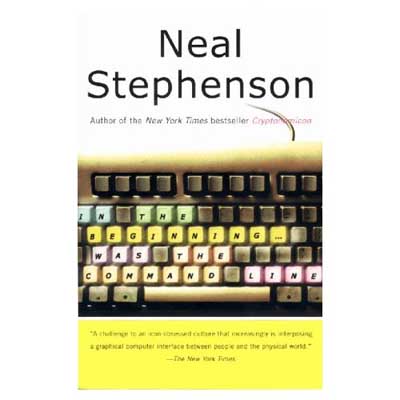
I realize most of you are youngsters and not of my cpu2
generation so have a hard time imagining how exiting a command line
prompt is. Fortunately, Neal Stephenson has made the full text of “In
the beginning ! was the command line” available as a
free download. Print it out and enjoy!