neverendingbooks

lieven le bruyn's blog

Archive for the ‘brain’ tag

wednesday bookshelf

without comments

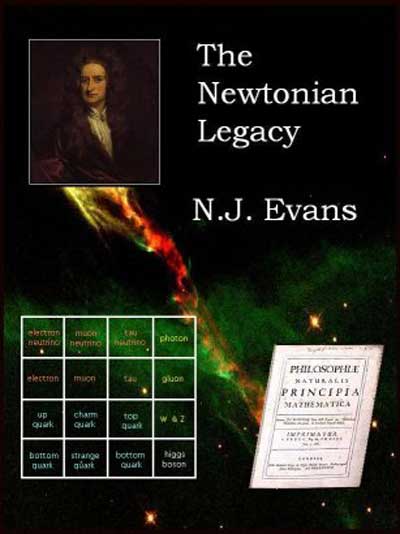
The Newtonian
Legacy
is a free online book by Nick Evans. If you want a (somewhat
over-positively) review about it, head here. For me, it just didn’t work but then I’m
an avid consumer of thrillers and like to be surprised. I read though to
page 80 (of 138) which is pretty good as I usually lay down an
unreadable book much sooner (most are lend from the public library, so
I’d rather start a new one as soon as it becomes tiresome). But then I
wanted to ‘learn about the frontier of particle physics within a fast
paced crime adventure’. One exchange is pretty telling though (p.
40-41)

“Rule is don”t get involved in popularising
science.” “That”s a bit harsh. We have to tell people what we”re doing
if we want them to fund us,” said Carl. “Yeah, but it”s all lies. The
theories are all mathematics, yet we say all words. That”s why we get
these nut cases writing to us sometimes with “new theoriesiÃÇ. They”ve
just read a popular science book and mistaken it for the core of
science. They change some words and think they have a new theory. They
don”t understand that you have to get the numbers right for every
experiment you can think of. It”s just misleading.” “Well, OK,”conceded
Carl, “but you can make the point that you”re just reporting a
simplification and that if people want the real thing, they”d need
maths.”Everyone sought inspiration in their pints again.

So, that’s why it is impossible to write about mathematics for a
general public! Anyway, a bit frustrated I went to my favorite bookshops
and read a blurb which sounded all too familiar.

Oxford, 2006: a young woman is found brutally
murdered, her throat cut. Her heart has been removed and in its place
lies an apparently ancient gold coin. Twenty-four hours later, another
woman is found. The MO is identical, except that this time her brain has
been removed, and a silver coin lies glittering in the bowl of her
skull. The police are baffled but when police photographer, Philip
Bainbridge and his estranged lover, Laura Niven become involved, they
discover that these horrific, ritualistic murders are not confined to
the here and now. And a shocking story begins to emerge which
intertwines Sir Isaac Newton, one of seventeenth-century England’s most
powerful figures, with a deadly conspiracy which echoes down the years
to the present day, as lethal now as it was then. Before long those
closest to Laura are in danger, and she finds herself the one person who
can rewrite history; the only person who can stop the killer from
striking again…

The first half of the
book
is rather promising (and at least its well written).
Mathematics even makes a short appearance as daugther Jo is studying
maths. Not that she contributes much of her talent to the story (apart
from contributing to solving one riddle) and in the end it seems to be
much more important to date the right boyfriend than to do math! The
book really becomes laughable when the couple is trapped in a maze 100
feat below the Bodleian library. Pure Indiana Jones-remake : expecting
pitfalls? here they come! what else do we remember of the movie?
arrow-traps! sure enough they appear. Oh, this must be that movie, so
whats next? well, sure enough (p. 343 “A massive block of stone crashed
down from the lintel of the archway, landing squarely with a thump on
the dusty floor. They were sealed in.” Presumably the authors
inspiration dried out!

Mind you, I do not want to be negative on
principle. Sometimes (too rare) I do read an enjoyable, interesting,
intelligent thriller. The last one Ive read was

Brother Grimm by Craig Russell is a must read if you are into
serial-killer stories. Heres the synopsis

A girl’s
body lies, posed, on the pale sand of a Hamburg beach, a message
concealed in her hand. ‘I have been underground, and now it is
time for me to return home…’ Jan Fabel, of the Hamburg murder
squad, struggles to interpret the twisted imagery of a dark and brutal
mind. Four days later, a man and a woman are found deep in woodland,
their throats slashed deep and wide, the names ‘Hansel’ and
‘Gretel’, in the same, tiny, obsessively neat writing, rolled
tight and pressed into their hands. As it becomes clear that each new
crime is a grisly reference to folk stories collected almost two hundred
years ago by the Brothers Grimm, the hunt is on for a serial killer who
is exploring our darkest, most fundamental fears – a predator who kills
and then disappears into the shadows. He is a monster we all learned to
fear in childhood.

An original point of view, an
unorthodox setting (Hamburg!), interesting and real life personages what
more do you want? Oh, you want to learn something from reading a
bestseller? To me, this book was an eye-opener. Ever wondered why all
these serial-killer-books become bestsellers? Here’s the answer (p.
227)

<

p>”Weiss toke a novel from the bookshell before him!! ‘Today
we continuously reinvent these tales. The same stories, new characters.
This is a bestseller – a story about the hunt for a serial killer who
ritually dismembers his victims. These are our fairy tales
today. These are our fables, our Maerchen. Instead of elves and kobolts
and hungry wolves lurking in the dark corners of the woods, we have
cannibals and dissectors and abductors lurking in the dark corners of
our cities.
It is in our nature to guise our evil as something
extraordinary or something different: books and films about aliens,
sharks, vampires, ghosts, witches. The fact of the matter is that there
is one beast that is more dangerous, more predatory, tan any other in
the history of nature. Us.”

Written by lievenlb

February 21st, 2007 at 12:07 pm

Posted in stories

Tagged with ,

bookmarks tuesday cleanup

without comments


Geeky Mom : Why am I blogging?
. Been there before. Sooner or later
all non-pseudonomenous bloggers are faced with the same dilemmas.
There’s really no answer or advice to give except : blog when you feel
like it, if not do something different, after all its just one of those
billion of blogs around.

Texmaker : another
LaTeX-frontend, possibly having a few extras such as : a structure-pane
including labels you gave to formulas, theorems etc. (click on them
brings you to them). Intend to use it now as I’m in another rewrite of
the never-ending-book..

Microformats : “Designed for
humans first and machines second, microformats are a set of simple, open
data formats built upon existing and widely adopted standards.” May
have another look.

Quicksilver : a recurring
link. At times when I feel learning key-strokes may save me a lot of
time I have (another) go at Quicksilver. Last week, Ive reinstalled this
blog more or less post by post and used keystrokes to send a line in the
SQL-file of the database dump of NEB as a clipping to Scrivener to
MultiMarkdown it further. I used the app Service Scrubber
to define my own key-strokes. Must have another go at Quicksilver soon.
Im sure it distinguishes ‚”power mac users” from the rest of
us.


List of GTDTools
: a good list of GTD-software. I’m probably just
too chaotic for GTD to improve my workflow but somehow I cannot resist
trying some of these things out.

LifeDEV : One of those sites that tells
me I should take GTD more seriously

DoIt : One of
these GTD-tools. It is said to go well with Quicksilver, so maybe, one
day.

Think
: Here a little seemingly completely useless tool which works well (at
least for me). No, it does not make you think, but at least it helps you
while you are thinking (or doing anything a bit focussed). Install it
and enjoy! The principle is that it just blocks out all other open
windows (and there are keystrokes (yes, again) to get you quickly in
and out.) Besides, it looks great. It’s in my dock and this says it
all

Thinkature :
a brainstorming tool. Dont know why I did bookmark this. Perhaps one
day, a few years from now

href="http://www.archive.org/details/lecture11461">Stafford Talk :
a talk by Toby Stafford I came across by accident. Maybe there are other
interesting talks on the site?

href="http://scq.ubc.ca/sciencescouts/">Science Scouts : a great
idea! Give yourself badges for how well you do science (or talk/write
about science). Have to collect my badges soon. I’m sure this only
works for people with a scouting-history, but who
knows?

href="http://www.macresearch.org/">MacResearch : Here’s a site
that may become useful. MacResearch.org is an open and independent
community for scientists using Mac OS X and related hardware in their
research. It is the mission of this site to cultivate a knowledgeable
and vibrant community of researchers to exchange ideas and information,
and collectively escalate the prominence of Apple technologies in the
scientific research community. They have some interesting articles
and tutorials on e.g. DevonThink and BibDesk etc. Worth to
revisit.

href="http://www.nature.com/nature/journal/v445/n7129/full/445700a.html
">Jennifer in love : well‚ should I say something about this?
probably best not.

href="http://www.jnd.org/dn.mss/ui_breakthroughcomma.html">
Breakthrough CLI : another pamphlet in favor of the Command Line! A
must read for those who perfer GUIs to CLIs.

<

p> href="http://blog.elinc.ca/rod/2007/02/17/dum-de-doo/">CLI – the
site : Rod is working hard on CLI-20. Whenever he releases version
2.0, neverendingbooks will be among the first sites to run it. I still
love the idea.

href="http://golem.ph.utexas.edu/category/2007/02/why_do_i_bother.html\
">Why do I bother? : an n-category post I got briefly interested in,
but was somehow flooded by professional
math-philosophers

href="http://jonstraveladventures.blogspot.com/2007/02/newtonian-legacy
-reviewed.html">Newton Legacy Reviewed : just that, a first review
on the next bookmark.

href="http://www.hep.phys.soton.ac.uk/~evans/NL/bits.html">the Newton
Legacy : a free online book, a murder mystery with a physics touch.
Perhaps this is the best investment of time/energy : write a popular
science book rather than another paper. Read half way through it (sorry
but not the best prose Ive read so far), may continue but was held up
reading a (real) murder mystery Equinox featuring also Newton and
alchemy (must be in the air somehow), also not the best mystery read
so far

href="http://skepchick.org/blog/?p=390">Stalking with Googleearth
: no comment

(to be continued)

Written by lievenlb

February 20th, 2007 at 7:18 pm

Posted in web

Tagged with , , , , , , ,

my lifestream

with one comment

The old
concept of getting your
brain subscribed to
has a reincarnation into the
lifestream idea : add a page to your blog listing all
your timed actions on the web. I stumbled upon it via the
Lifestream – ala wordpress
post containing a link to the original Streaming my life away
article by Jeremy Keith. After far
too much time I managed to install Chris Davis’
Lifestream wordpress plugin
. Here are some comments that may make it easier to install a
lifestream page yourself. To begin, don’t download the plugin at the
top of the page, but rather scroll down to comment 886-59 by Gunnar
Hafdal and download via the link given there (or use this direct link).
This version at least contains a readme file (even after reading through
all the php-code of the other version I didn’t have a clue as how to use
it, in the readme file I finally learned that you had to create a new
page and use Lifestream as a page-template…). Next, I could’t
get it working until line 78 of stream.php was
commented out (the Copenhagen-time line). Also don’t use the
Dashboard-Manage-Lifestream page in the hope to change your
RSS-subsriptions, but rather hard-code them in the
life.php file. Bear in mind that not all RSS-data will
work with Lifestream. I’ve tried out all of the social bookmark sites of
which the logo is given at the bottom of a post, and found that only six
of them work without doing extra work : co.mments, digg,
ma.gnolia, furl, netvouz and de.lirio.us (the last one modulo the fact
that it doesnt give the accurate time). At the moment I’ve added just
co.mments, digg, magnolia and netvouz to my lifestream but I may add
other streams later. Of course one can solve problems with the other
RSS-feeds by scraping them and writing new feeds which Lifestream (or
rarther the underlying magpieRSS bundled with wordpress) can handle. I
assume this is the idea behind the other Lifestream plugin by Elliot Black (I havent
tried this one out). The last thing to do is then to change the
stream.php file so that it produces a page with more or
less the same look and feel of the rest of the blog. Apart from a few
things which I still have to remedy, I’m happy with my
Lifestream. Now it is time to have a serious go at some of these
social-bookmarking sites…

Written by lievenlb

December 3rd, 2006 at 2:48 pm

Posted in web

Tagged with ,

get your brain subscribed to

without comments

In the
‘subscribe
to my brain’ post
I promised to blog on how-to get your own

button up and running on your homepage. It seems rather unlikely
that I’ll ever keep that promise if I don’t do it right away. So, here
we go for a quick tour :

step 1 : set up a rudimentary
FoaF-file
: read the FoaF post if
you dont know what it’s all about. The easiest way to get a simple
FoaF-file of your own is to go to the FoaF-a-matic
webpage
and fill in the details you feel like broadcasting over the
web, crucial is your name and email information (for later use) but
clearly the more details you fill out and the more Friends you add the
more useful your file becomes. Click on the ‘foaf-me’ button and
copy the content created. Observe that there is no sign of my email
adress, it is encrypted in the _mbox_sha1sum_ data. Give this
file a name like _foaf.rdf_ or _myname.rdf_ and put it on
your webserver to make it accessible. Also copy your
_mbox_sha1sum_ info for later smushing.

step 2 : subscribe to online services and modify your
online-life accordingly
: probably you have already a few of
these accounts, but if not, take a free subscription just for fun and
(hopefully) later usage to the following sites :

  • del.icio.us a social bookmarks manager
  • citeUlike a service to
    organise your academic papers
  • connotea a reference management
    service for scientists
  • bloglines a web-based personal news
    aggregator
  • 43things a
    ‘What do you want to do with your life?’ service
  • audioscrobbler a database that
    tracks listening habits and does wonderful things with statistics
  • backpackit a ‘be
    better organized’ service
  • flickr an online photo management and
    sharing application
  • technorati a Google-for-weblogs
  • upcoming a social event
    calendar
  • webjay a playlist
    community

So far, I’m addicted to del.icio.us and use
citeUlike but hardly any of the others (but I may come back to this
later). The great thing about these services is that you get more
value-information back if you feed more into the system. For example, if
you use del.icio.us as your ‘public’ bookmarks-file you get to
know how many other people have bookmarked the same site and you can
access their full bookmarks which often is a far more sensible way to
get at the information you are after than mindless Googling. So, whereas
I was at first a bit opposed to the exhibisionist-character of these
services (after all, anyone with web-access can have a look at
‘your’ info), I’ve learned that the ‘social’ feature of
these services can be beneficial to get the right information I want.
Hence, the hardest part is not to get an account with these services but
to adopt your surfing behavior in such a way that you maximize this
added value. And, as I mentioned before, I’m doing badly myself but hope
that things will improve…

step 3 : turn these
accounts into an OPML file
: Knowing the URL of your foaf-file
and sha1-info (step 1) and your online accounts, go to the href="http://www.ldodds.com/foaf/online-account">FOAF Online Account
Description Generator and feed it with your data. You will then get
another foaf-file back (save the source in a file such as
_accounts.rdf_ and put it on your webserver). Read the Lost Boy’s
posts Subscribe to my
brain
and foaf:
OnlineAccount Generator
for more background info. Then, use the SubscribeToMyBrain-
form
to get an OPML-file out of the account.rdf file and your sha1.
Save the source as _mybrain.opml_.

step 4 :
add/delete information you want
: The above method uses generic
schemes to deduce relevant RSS-data from an account name, which works
for some services, but doesn’t for all. So, if you happen to know the
URL of RSS-feeds for one of these services, you can always add it
manually to the OPML-file (or delete data you don’t want to
publish…). My own attitude is to make all public web-data
available and to leave it to the subscriber to unsubscribe those parts
of my brain (s)he is not interested in. I know there are people whoo are
mainly interested to find out whether I put another paper online, would
tolerate some weblog-posts but have no interest in my musical tast,
whereas there are others who would like me to post more on 43things,
flickr or upcoming and don’t give a damn about my mathematics…
Apart from these online subscriptions, it is also a good idea to include
additional RSS-feeds you produce, such as those of your weblog or use my
Perl
script
to have your own arXiv-feeds.

step 5 : make
your ‘subscribe to my brain’-button
: Now, put the
OPML-file on your webserver, put the button

on your
homepage and link it to the file. Also, add information on your site,
similar to the one I gave in my own
subscription post
so that your readers know what to do when do want
to subscribe to (parts of) your brain. Finally, (and optionally though
I’d wellcome it) send me an email with your URL so that I can subscribe
(next time you’re in Antwerp I’ll buy you a beer) and for the first few
who do so and are working in noncommutative geometry and/or
noncommutative algebra, I’ll send a copy of a neverending book. Mind
you, this doesn’t apply to local people, I’m already subscribed to their
brain on a daily basis…

Written by lievenlb

February 8th, 2006 at 9:10 am

Posted in web

Tagged with , , , , , ,

added to MyBrain : arXiv

without comments

Clearly, someone who href="http://www.neverendingbooks.org/index.php?p=238" >
subscribed to your brain shouldn’t have to check the arXiv every morning only to find out
that you still haven’t posted _the_ paper s(h)e is expecting of
you, based on your recent BrainActivity…

So why not
package this into your Brain subscription? It is easy enough to get all
posts by a specific author from the archive but, unfortunately, the
arXiv doesn’t provide RSS-feeds of this information (at least, not to my
knowledge). Still, it is possible to fix this with a tiny
Perl-script
.

So copy the code and adjust it replacing MyInfo
by Yours (or sligthly safer, get the arxivpost.pl
file as I had to add a few spaces to get it un-parsed) and safe it
somewhere on your system.

So how to put this to use? Btw. I know
that all of you know this by heart and that I may have given you the
(false, i swear) illusion to be fairly knowledgeable writing a
Perl-script in half an hour, but believe me, in two months (and sooner
when it’s up to me) I will have completely eradicated all this
techie-stuff from MyBrain. Then, it will take me infinitely longer to
remember/reconstruct things than it will take me now to blog this here,
so please either bear with me or go somewhere more interesting.

You’d better have Perl installed on your system, but then you have to
install extra modules from CPAN the
Comprehensive Perl Archive Network (this is to Perl what CTAN is to TeX for the mathematicians
among us). That’s pretty easy if you remember the correct commands. The
generic way to do this is by firing up your Terminal and typing things
like

 iBookLieven:~ lieven$ sudo perl -MCPAN -e shell
Password:  cpan shell -- CPAN exploration and modules installation
(v1.83) ReadLine support enabled  cpan> install Template::Extract

and similarly for the other modules you’ll need,
LWP::Simple and XML::RSS. You may be asked questions but just go for the
default. If something goes wrong and you get a message that the module
failed to install, you have to go for a manual override…

Go to CPAN and do a search on the module’s name. You’ll
be given a list op files to download, go for the one you need and
download the souce somewhere. Then, again in Terminal do the following
routine

  • cd to the downloaded and extracted directory
  • perl Makefile.PL
  • make
  • make test
  • sudo make install

Even if the test fails with
certain errors, just go ahead (it will not matter for the trivial uses
we have for these modules) and the last command is Mac OSX only (I’m
pretty certain that Linux-fanatics know what to do instead and for
Windows-diehards, well….).

Having all modules installed
you can execute the file with

perl arxivpost.pl

(assuming you created the Directory in which the program
is supposed to safe the arxivXXX.rdf file and assuming you made it
writable). That’s it. You now have your own RSS feeds of all your papers
on the arXiv which you should make for of YourBrain subscription).

Just one more thing you should do. Make this a cron
job
. Check at what local time the arXiv puts online the new papers
of the day (assume it is 3am) then do a sudo crontab -e
and then add a line to the file as

5 3 * * Mon-Fri perl
/pathtowhereitis/arxivpost.pl

and your subscribers will
only have to wait 5 minutes to know whether you did it…(or not).
You can check it out either by subscribing to MyBrain or subscribing to
http://www.
neverendingbooks.org/FOAF/arxivLLB.rdf
.

Written by lievenlb

January 31st, 2006 at 1:55 pm

Posted in web

Tagged with , , , ,